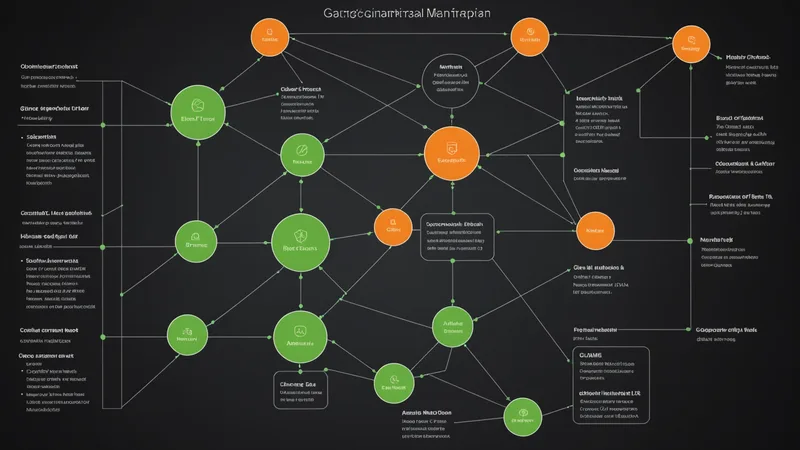
An SCP attached to an OU applies to all accounts in that OU and all child OUs. An SCP attached to the organization root applies to all member accounts. If you have an account that was added to your organization directly under the root without being placed in any OU, and your SCPs are attached to OUs rather than the root, that account has no SCP coverage.
That's the gap auditors find. Not the contents of your SCPs — whether they're well-written or have the right conditions — but whether they're attached to everything they're supposed to cover. The attachment problem is structural, and it compounds over time as new accounts get added without following the established OU hierarchy.
The Three Gap Types
SCP coverage gaps come in three distinct forms, each requiring a different detection method:
Type 1: Accounts outside any OU with SCP attachment. An account created directly under the root, or moved to the root during an OU restructure, receives only root-level SCPs. If your root has no SCPs (which is common — teams often attach SCPs to OUs only), this account has no SCP constraints at all.
Type 2: New OUs added without inheriting the required SCPs. You create a new OU for a new team or project. The existing SCPs are attached to sibling OUs but not to the new one. The OU inherits root-level SCPs, but if your root has no SCPs and all your security controls are OU-level attachments, the new OU starts with no coverage.
Type 3: SCP exists and is attached but has conditions that inadvertently exclude specific accounts or principals. This is the subtlest gap type. The SCP is attached to the right OU, but a condition like ArnNotLike with an overly broad pattern excludes more principals than intended. An SCP that excludes any role matching arn:aws:iam::*:role/*Automation* might be intended to exclude specific automation accounts but actually excludes all roles with "Automation" anywhere in the name across all accounts — including accounts where that exclusion was never intended.
Enumerating the Org Structure
The starting point for gap detection is building a complete picture of your org structure: every account, every OU, and the SCP attachments at each level. The AWS Organizations API provides all of this, but it requires traversal — the API doesn't provide a flat view.
The following Python script walks the org hierarchy and builds a JSON structure mapping each node to its directly attached SCPs:
import boto3
import json

def get_org_tree(client, parent_id, depth=0):
    node = {
        "id": parent_id,
        "type": "unknown",
        "name": "",
        "policies": [],
        "children": []
    }

    # Get policies attached directly to this node
    paginator = client.get_paginator("list_policies_for_target")
    for page in paginator.paginate(
        TargetId=parent_id,
        Filter="SERVICE_CONTROL_POLICY"
    ):
        for policy in page["Policies"]:
            node["policies"].append({
                "id": policy["Id"],
                "name": policy["Name"]
            })

    # Get child OUs
    ou_paginator = client.get_paginator("list_organizational_units_for_parent")
    for page in ou_paginator.paginate(ParentId=parent_id):
        for ou in page["OrganizationalUnits"]:
            child = get_org_tree(client, ou["Id"], depth + 1)
            child["type"] = "OU"
            child["name"] = ou["Name"]
            node["children"].append(child)

    # Get accounts directly under this parent
    acct_paginator = client.get_paginator("list_accounts_for_parent")
    for page in acct_paginator.paginate(ParentId=parent_id):
        for account in page["Accounts"]:
            acct_policies = []
            for page2 in client.get_paginator(
                "list_policies_for_target"
            ).paginate(
                TargetId=account["Id"],
                Filter="SERVICE_CONTROL_POLICY"
            ):
                for policy in page2["Policies"]:
                    acct_policies.append(policy["Id"])
            node["children"].append({
                "id": account["Id"],
                "type": "ACCOUNT",
                "name": account["Name"],
                "policies": acct_policies,
                "children": []
            })

    return node

client = boto3.client("organizations")
roots = client.list_roots()["Roots"]
root_id = roots[0]["Id"]

tree = get_org_tree(client, root_id)
tree["type"] = "ROOT"

with open("org_tree.json", "w") as f:
    json.dump(tree, f, indent=2)

print(f"Org tree written to org_tree.json")
This gives you a complete picture. The next step is determining which SCPs are required at each node.
Defining Required Coverage
A coverage gap is only detectable if you have a definition of what coverage should look like. The simplest definition: every account in the org must have a specific set of SCP IDs reachable through its parent chain (either directly attached to the account or attached to any OU in the path from the account to the root).
Build a required SCP list — the policy IDs or names that every production account must be covered by:
REQUIRED_SCPS = {
    "DenyUnapprovedRegions",
    "DenyS3PublicAccess",
    "DenyRootAccountActions",
    "DenyAdminRoleWithoutBoundary",
    "ProtectCloudTrailIntegrity"
}

def collect_inherited_scps(tree, parent_policies=None):
    if parent_policies is None:
        parent_policies = set()

    current_policies = parent_policies | {
        p["name"] for p in tree.get("policies", [])
    }

    if tree["type"] == "ACCOUNT":
        return [(tree["name"], tree["id"], current_policies)]

    results = []
    for child in tree.get("children", []):
        results.extend(
            collect_inherited_scps(child, current_policies)
        )

    return results

all_accounts = collect_inherited_scps(tree)

print("Gap Report")
print("=" * 60)
gaps_found = 0

for account_name, account_id, effective_scps in all_accounts:
    missing = REQUIRED_SCPS - effective_scps
    if missing:
        gaps_found += 1
        print(f"\nACCOUNT: {account_name} ({account_id})")
        print(f"  Missing SCPs: {', '.join(sorted(missing))}")

if gaps_found == 0:
    print("No gaps found. All accounts covered.")
else:
    print(f"\n{gaps_found} accounts have coverage gaps.")
Running this against your org produces a gap report. Accounts with no SCP coverage at all show up as missing every required SCP. Accounts in new OUs show up as missing any SCP that wasn't attached to the root or the specific OU path.
Handling Inheritance Correctly
SCP inheritance works top-down: policies attached to a parent node are inherited by all children. But there's a nuance: the effective policy set for an account is not the union of all attached SCPs — it's the intersection of all the allow grants within each SCP, bounded by the denies in each SCP.
For the gap detection script above, we're checking for SCP presence (is the policy ID in the account's effective policy chain), not SCP effect (does the policy actually deny the target action for this account). Presence checking is sufficient for coverage gap detection — the goal is ensuring the policy is in scope, not simulating its full effect.
If you need to simulate the actual deny effect — for example, to confirm that a specific action is blocked for a specific principal in a specific account — use the IAM policy simulator with the effective SCP as the permission boundary input. That's a deeper analysis than coverage enumeration.
Checking for Condition-Based Exclusions
Type 3 gaps — SCPs with conditions that inadvertently exclude too broadly — require a different approach. You need to inspect the SCP content, not just its attachment. Pull the policy document and look for conditions that reference principal ARNs or account IDs:
import json

def find_broad_exclusions(policy_document):
    warnings = []
    statements = policy_document.get("Statement", [])

    for stmt in statements:
        if stmt.get("Effect") != "Deny":
            continue

        conditions = stmt.get("Condition", {})
        for operator, conditions_map in conditions.items():
            if "ArnNotLike" in operator or "ArnNotEquals" in operator:
                for key, values in conditions_map.items():
                    if "PrincipalArn" in key:
                        for arn_pattern in (
                            values if isinstance(values, list)
                            else [values]
                        ):
                            # Flag wildcards beyond account-level
                            if arn_pattern.count("*") > 1:
                                warnings.append({
                                    "sid": stmt.get("Sid", "unknown"),
                                    "condition": operator,
                                    "pattern": arn_pattern,
                                    "risk": "Broad wildcard may exclude "
                                            "unintended principals"
                                })

    return warnings

# Pull a specific SCP document
response = client.get_policy(
    PolicyId="p-xxxxxxxxxxxx"
)
doc = json.loads(
    response["Policy"]["PolicySummary"]["Arn"]
)
# Actually get the document content:
policy_doc = json.loads(
    client.get_policy(PolicyId="p-xxxxxxxxxxxx")
    ["Policy"]["Content"]
)

warnings = find_broad_exclusions(policy_doc)
for w in warnings:
    print(f"SID: {w['sid']}")
    print(f"  Pattern: {w['pattern']}")
    print(f"  Risk: {w['risk']}")
Scheduling and Alerting
Gap detection is only useful if it runs before gaps accumulate undetected. The right cadence depends on how often new accounts and OUs are created in your org. For most growing environments, weekly is sufficient. For orgs that provision accounts through automation (AWS Control Tower, or a custom account vending pipeline), run the gap check as part of the provisioning pipeline — a new account should pass the coverage check before it's handed to the workload team.
The simplest alerting mechanism is a Lambda function triggered by EventBridge on a schedule, writing results to an SNS topic that pages your security team. But if you already have AWS Security Hub with custom findings enabled, writing a gap finding to Security Hub gives you a single place to track both policy gaps and other security findings:
import boto3
from datetime import datetime, timezone

def create_scp_gap_finding(account_id, account_name, missing_scps):
    hub = boto3.client("securityhub", region_name="us-east-1")
    hub.batch_import_findings(
        Findings=[{
            "SchemaVersion": "2018-10-08",
            "Id": f"scp-gap/{account_id}",
            "ProductArn": (
                f"arn:aws:securityhub:us-east-1::product/"
                f"native-security/scp-coverage-check"
            ),
            "GeneratorId": "native-security-scp-coverage",
            "AwsAccountId": account_id,
            "Title": f"SCP Coverage Gap: {account_name}",
            "Description": (
                f"Account {account_name} ({account_id}) is missing "
                f"required SCPs: {', '.join(sorted(missing_scps))}"
            ),
            "Severity": {"Label": "HIGH"},
            "Types": [
                "Software and Configuration Checks/"
                "AWS Security Best Practices/SCP Coverage"
            ],
            "CreatedAt": datetime.now(timezone.utc).isoformat(),
            "UpdatedAt": datetime.now(timezone.utc).isoformat(),
            "Resources": [{
                "Type": "AwsAccount",
                "Id": f"arn:aws:organizations:::account/{account_id}",
                "Region": "us-east-1"
            }]
        }]
    )
The gap detection itself takes under 30 seconds for an org with fewer than 100 accounts. For larger orgs where the Organizations API pagination adds up, run the traversal async and cache the tree structure between runs — the org structure changes infrequently enough that a 6-hour cache is safe.
Auditors don't find SCP coverage gaps because they're clever. They find them because they run exactly this kind of structured enumeration. Running it yourself first, on a regular schedule, is the entire point.